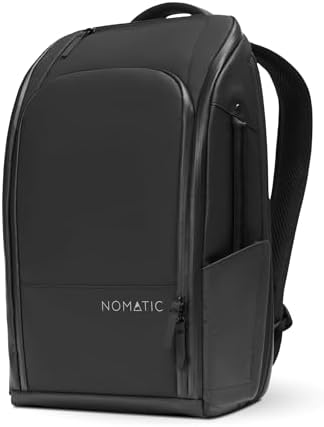
The Nomatic Work Backpack is strongest when the problem is a repeatable work kit, not weekend-travel volume. Its pocket-dense layout is built around separation: laptop, tablet, chargers, cables, dongles, batteries, power banks, hard drives, keyboard, mouse, portable monitor, and documents all need places.
That same design calls for checks before you buy. The zippers carry the access load; laptop fit depends on actual dimensions and sleeve thickness; rain needs separate protection; and the 14L/20L choice can change whether the bag feels like compact work carry or packed work travel.
Scorecard: Nomatic Work Backpack
The Nomatic Work Backpack has a DVSS Score of 80.91 and an Excellent satisfaction tier, which backs its appeal as an organization-first work backpack — though that score cannot tell you whether a thick 15.6-inch laptop clears the compartment, whether the zipper tracks and sliders move smoothly around packed corners, or whether the seams and laptop compartment keep rain out.
| Metric | Value |
|---|---|
| DVSS Score | 80.91 |
| Satisfaction Tier | Excellent |
| Dissatisfaction Score | 13.96% |
| Critical Dissatisfaction Rate | 12.71% |
Based on buyer feedback patterns, not hands-on testing. See how this scoring works.
That 12.71% figure points straight to four physical checks: zipper stiffness or failure, rain reaching compartments or the laptop area, laptop-fit uncertainty, and the 20L stopping at 24L instead of Travel Pack-style 30L capacity.
Quick Take
- Best For: Buyers who need organized work-tech carry for a laptop, tablet, chargers, cables, dongles, and mobile-office accessories.
- Not For: Buyers who need waterproof confidence, smooth zipper certainty, universal large-laptop fit, or 30L travel-pack capacity.
- Top Strength: Dense organization and access for a repeatable work kit.
- Main Limitation: Zipper issues, with added checks for rain, laptop fit, and size/model confusion.
The Work Kit Is Why This Bag Exists
The Nomatic Work Backpack makes the most sense when your daily kit is more than a laptop: tablet, chargers, cables, dongles, batteries, power banks, hard drives, keyboard, mouse, portable monitor, and documents all point to a bag whose real value is separation and access — not empty space.
The fixed layout matters: Pocket-per-slot organization helps most when your accessories are predictable; if you keep swapping chargers, cases, or travel extras, that same fixed layout becomes a packing limit rather than a shortcut.
Your real kit decides it: Pack the actual work kit before judging the Nomatic Work Backpack — a laptop-only trial misses the charger, cable, dongle, battery, and hard-drive clutter that the layout is built to handle.
Pouches may still be necessary: Built-in pockets may reduce the need for a separate pouch, but buyers who want modular accessory control may still need a tech pouch, because fixed pockets do not move with the kit.
Hard-drive carry also needs a separate shell if protection matters, because a backpack pocket is not the same as a dedicated drive case.
The 20L evidence includes a 13″ MacBook, iPad, chargers, and maybe overnight clothes and toiletries, around 8–10 lbs — that load turns the Nomatic Work Backpack into a packed work-travel decision rather than a loose everyday backpack.
Organization only pays off after the devices fit. That is where the review moves from pocket count to measurement.
Laptop Fit Breaks the Screen-Size Shortcut
The Nomatic Work Backpack has real MacBook, iPad Pro, and 15-inch laptop carry feedback, but the fit check gets serious once you add a 16-inch MacBook Pro, a thick 15.6-inch chassis, a 17-inch laptop, or a sleeve — especially on the 14L, where the laptop compartment is listed at 15.5″ x 10″ x 1.5″.
Actual chassis size matters: Measure the laptop’s width, depth, and thickness before buying — a thick 15.6-inch chassis can create a different zipper-clearance problem than a slimmer 15-inch machine.
Sleeves change the fit: Count the sleeve as part of the laptop, because a MacBook Pro 16 that fits bare can become a different item once the sleeve adds thickness at the corners.
Stacked devices need a second check: If both your laptop and tablet ride in the bag, check them together — separate MacBook and iPad Pro references do not prove the combined stack clears the compartment when the charger kit is also packed.
Laptop-edge protection needs help: Add a sleeve if lower-edge protection matters, because the bag’s pockets do not prove bottom-edge padding performance.
Do not treat the 17-inch fit as settled. Check compartment dimensions and zipper clearance before buying, because the available evidence stops short of a confident 17-inch claim.
Pick 14L or 20L Before You Compare Capacity
Choosing between 14L and 20L changes more than capacity. The 14L is the compact 3.5-lb option that expands to 17L with a 15.5″ x 10″ x 1.5″ laptop compartment, while the 20L is the 4-lb work-travel option that expands to 24L — not the 30L Travel Pack route.
14L
The 14L is for buyers who want Nomatic organization without the 20L’s bulk. One 5’6″ buyer found the 20L too big and chose the 14L, but that height cue should push you toward a try-on check rather than become a body-size rule.
The compact version has its own small-space tradeoffs. Comments on the sunglasses box, key fob, and RFID pocket indicate that smaller internal details may feel tighter or less convenient in the compact version.
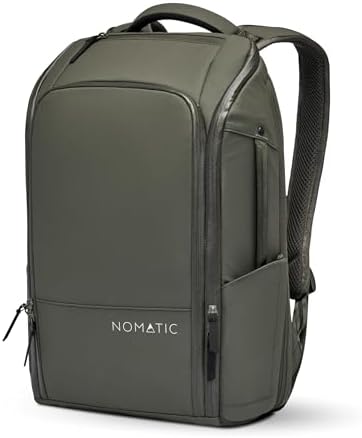
20L
When the work kit starts to include a 13″ MacBook, iPad, chargers, and maybe overnight clothes or toiletries, the 20L is the better match. The reported 8–10 lb load means you need to check comfort after packing, because the carry feel changes once the kit is no longer light.
Do not buy the 20L Work Backpack expecting 30L expansion. The size evidence is clear: the 20L-to-24L Work Backpack and the 20L-to-30L Travel Pack are different products.
The Zippers Carry the Access Risk
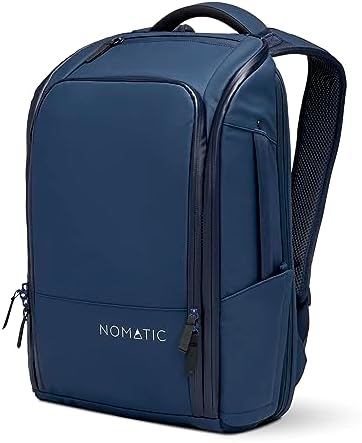
The Nomatic Work Backpack’s organization depends on frequent zipper use, which is why sticky movement, corner catching, failure reports, some long-use praise, and old/new zipper-layout uncertainty all point to the same purchase check: test the bag packed, not empty.
Packed corners matter: Zip around the top corners after loading your normal work kit, because an empty bag will not show the same pressure points that appear when pockets and sleeves are full.
Tracks and sliders matter: Check the zipper tracks, sliders, seams, and packed corners during the return window — these are the stress points that turn zipper feel into a daily access problem.
Current version matters: Verify the current model before using older zipper comments as a final verdict, because old/new version and four-zipper-layout references can change what the zipper and access claims mean.
A sticky zipper is a bigger problem here than on a simpler backpack, because the bag’s main strength is frequent access to separated work gear.
Use It for Work Travel, Not 30L Packing
The Nomatic Work Backpack is ideal for work travel when the job requires laptop access, business travel, and moving through security checks with a tech kit. Airport use, top access, and checkpoint access all fit that picture — but the 20L-to-24L Work Backpack notes must stay separate from the 20L-to-30L Travel Pack.
Travel capacity has limits: If the trip requires clothing-first packing or 30L-style expansion, the Work Backpack is the wrong Nomatic product; look at larger laptop backpacks instead.
Strap storage needs a trial: The strap-hideaway idea works for airport handling, but hard snaps and inconvenient flaps make it worth testing before counting on it during fast boarding or security moments.
Treat checkpoint access as a work-travel cue, not guaranteed TSA approval. Packed dimensions and airline personal-item rules still decide whether the bag clears a specific flight.
Rain and Security Need Physical Checks
Weather claims need a narrow reading. Water-beading comments sit beside damp-compartment and damp-laptop-area reports, so the right move is to treat rain as a protection check — not a waterproof promise.
Rain is not solved: If wet commuting is normal for you, protect the laptop and electronics separately, because this bag should not be treated as waterproof storage.
Lockability is layout-dependent: Check every zipper opening before treating the Nomatic Work Backpack as secure storage — lockable zipper elements and extra access points both show up in the feedback.
Do not rely on four-zipper lockability details unless the current model matches that layout. If side-access openings remain usable, locking the main zipper may not close off every path into the bag.
Who Should Think Twice
Think twice if your setup pushes the Nomatic Work Backpack past its work-tech lane: a thick 15.6-inch laptop, a 17-inch laptop, a MacBook Pro 16 in a sleeve, a smaller-frame fit concern, an 8–10 lb packed 20L load, or a price-sensitive purchase all change the decision before the pockets can help.
Load it before judging comfort: Pack the bag with the laptop, tablet, chargers, and travel extras you actually carry, because comfort shifts with body size, clothing, boxy structure, and packed weight.
Bottle fit is not universal: Read bottle-pocket notes as diameter-specific, not universal — the same feedback applies to a 24-oz thermos, a 28-oz bottle, a 32-oz oversized water bottle, a 40-oz Hydro Flask, and a stretching complaint.
Compare by carry style: If the real need is a lower price or shoulder-style carry, look at other options — eBags Professional Slim and Timbuk2 messenger references point to different buyer priorities. Peak Design Everyday Backpack and Tumi laptop bags also come up as comparison points, but use those to clarify carry needs rather than to pick a winner.
Buy or Skip the Nomatic Work Backpack?
Buy the Nomatic Work Backpack if organized work-tech carry is the real problem. The bag pays off most when the same laptop, tablet, charger, cable, dongle, hard drive, keyboard, mouse, and document kit comes with you often enough that a fixed layout saves time.
Skip or compare if your decision turns on smooth zippers, rain confidence, 17-inch laptop fit, or 30L Travel Pack-style capacity. Those are not minor caveats — they are the checks that decide whether the pocket system helps or whether you bought the wrong bag.
Measure the laptop dimensions, test zipper movement, plan for rain, and confirm the size before buying — those four checks determine whether the organization advantage survives your actual work kit.
If the zipper, size, or capacity checks point away from this bag, match the route to the missing need: a balanced medium laptop backpack, a larger travel-tech backpack, or a separate tech pouch for accessories.
