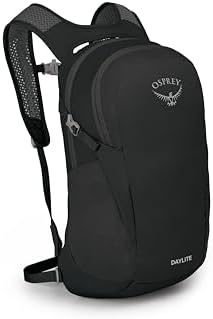
A compact laptop backpack can look like the easy answer until the laptop size, padding, and daily load start to matter. The Osprey Daylite Commuter Backpack 13L is strongest for light 13–14 inch laptop or tablet carry, but the choice gets less clear around 15-inch laptops, full laptop protection, bulky packing, and rainy use.
DVSS fingerprint
The Osprey Daylite Commuter Backpack 13L lands in the Exceptional tier, which fits the bag’s strong light-carry appeal. That strong result still needs to be read beside the physical limits below, because the sleeve, padding, 13L body, pockets, straps, and DWR finish all have setup-specific tradeoffs.
| Metric | Value |
|---|---|
| DVSS Score | 92.85 |
| Satisfaction Tier | Exceptional |
| Dissatisfaction Score | 3.95% |
| Critical Dissatisfaction Rate | 2.38% |
Based on buyer feedback patterns, not hands-on testing. See how this scoring works.
At 2.38%, serious enough problems stayed limited, but that number still deserves attention before buying. The score is not proof that every laptop, body shape, bottle, weather condition, or travel setup works.
In plain terms, the compact carry is the appeal, but the safest choice keeps the bag inside its smaller laptop and lighter-load limits.
Quick take
- Best For: Compact 13–14 inch laptop or tablet carry with a light daily or personal-item load.
- Not For: Reliable 15-inch laptop fit, full padded laptop protection, waterproof laptop carry, or bulky daily packing.
- Top Strength: A slim 13L body that works well for light work carry and compact under-seat travel.
- Main Limitation: The laptop sleeve, padding, pockets, bottle carry, and comfort all become more conditional as the setup gets heavier or more demanding.
Decision matrix
| Your setup | What to know before buying |
|---|---|
| 13–14 inch laptop or tablet | The device-fit support is strongest here. |
| Reliable 15-inch laptop fit | The fit is too mixed to assume. |
| Compact work and personal-item load | This is the bag’s clearest role. |
| Bulky daily load or helmet | A roomier backpack is safer to compare. |
| Rain, loose valuables, or full protection needs | Plan separate protection or organization. |
The 15-inch label is the first fit check
The laptop sleeve is the first place this 13L bag can run out of certainty.
13–14 inch devices have the cleaner support
A 15-inch laptop is where the fit starts needing caution.
The laptop sleeve gives its clearest room to smaller laptop-class devices, then has less certainty as the device moves into 15-inch territory. The issue is the sleeve’s usable space, not whether the bag has a laptop area. Once the device size moves past the stronger 13–14 inch pattern, the fit becomes too mixed to treat as automatic.
The 15-inch label does not mean the sleeve fits every 15-inch laptop. The cleaner fit range is 13–14 inches, so a larger device can land between the product label and the sleeve space that works more reliably.
- 14-inch MacBook Pro: the sleeve has room for this device class, but the fit can still be close.
- MacBook Air and 14-inch Lenovo laptop: these stay inside the stronger laptop-size pattern.
- ThinkPad X1 Gen 13: thinner laptop-class devices sit closer to the bag’s cleaner fit range.
- 15-inch laptop: this is where the fit no longer lines up cleanly.
The laptop-size split is simple: smaller laptop-class devices are safer than 15-inch assumptions.
| Your laptop size | How safe the fit looks |
|---|---|
| 13–14 inch laptop-class devices | The best-supported range for this 13L bag. |
| 15-inch laptops | Too mixed to treat as reliable fit. |
Stay in the 13–14 inch zone unless the exact 15-inch device has stronger support.
The laptop sleeve is not the whole protection answer
The laptop sleeve can hold a device without fully surrounding it.
Back-side separation does not prove full-sided padding
A laptop can fit here and still need added protection.
The sleeve and back panel can separate a device from the wearer’s back, but that does not wrap the divider, sides, bottom, and front in full cushioning. Rear-side separation and full-sided laptop padding do different jobs. When a bare laptop rides in the sleeve, the bag can carry the device without proving that every impact side has padding.
The sleeve can hold the laptop without cushioning the sides or bottom. Side, bottom, and front padding remain separate protection concerns.
- Laptop and camera travel: fragile gear raises the protection stakes inside the same compact bag.
- Extra sleeve or pad: a separate layer adds protection the built-in sleeve does not prove.
- “Not padded” concern: the problem is protection confidence, not whether the laptop can enter the sleeve.
Protection starts after the laptop fit is already answered.
| Your laptop protection need | What the sleeve can’t prove |
|---|---|
| Laptop only, no added sleeve | Full-sided cushioning is not established. |
| Laptop plus separate sleeve or pad | Better match for cautious laptop carry. |
| Camera or fragile tech in the bag | Treat protection as a separate buying choice. |
Use the sleeve as a fit space, not as proof that the laptop is fully protected.
The 13L body favors compact work loads
The main compartment rewards flat gear and narrow shapes.
Surface, cables, and a bike helmet change the capacity answer
Compact work carry is different from bulky daily carry.
The slim 13L body carries flat, narrow, work-focused items better than bulky shapes. Shoes, wide containers, and helmet-shaped items fill the center space faster than ordinary laptop accessories. Once those bulky shapes go in, the bag has less usable room for the rest of the day’s carry.
The photo scale can make the bag look more spacious than the 13L body feels with bulky daily gear. Compact work carry can turn into size regret when helmet or weekend-style packing starts filling the center of the bag.
- Standard Dell or 13-inch MacBook load: this work setup stays closer to the bag’s intended size.
- Surface, cables, and bike helmet: this loadout pushes the small body into mismatch.
- Shoes or wide lunch: bulky shapes use space faster than ordinary tech accessories.
- Daylite Plus 20L regret: this size-up signal belongs to capacity, not pocket layout.
The capacity split is between compact work gear and bulky shapes.
| Your daily load | When 13L starts feeling too small |
|---|---|
| Flat laptop, charger, small lunch | Best match for compact daily carry. |
| Shoes or a wide lunch container | Bulky shapes start eating the center space. |
| Surface, cables, and a helmet | A roomier laptop backpack makes more sense. |
This is a compact carry setup, not a small replacement for a standard work backpack.
This is where the bag is strongest, until the front pocket fills and starts taking room from the center.
A packed front pocket borrows space from the main compartment
The two storage areas do not stay fully separate.
The front pocket and main compartment share the limits of the slim 13L body. When the front pocket fills, it presses into the main compartment and leaves the main space harder to use even when the bottom still looks open. That makes the front pocket part of the capacity question, not just a separate accessory pocket.
Pocket loading has its own split because the front pocket changes the main space.
| How you use the front pocket | What it does to the main space |
|---|---|
| Light small-item use | Keeps the main compartment easier to use. |
| Packed with accessories | Makes the main space feel tighter sooner. |
A lightly used front pocket is the better match when the main compartment already has to carry the day.
Small-item organization is the easiest everyday regret
Open pockets can hold small items without controlling them.
Wallet, keys, and phone need more than open pockets
Loose valuables are the weak point in the pocket layout.
The internal pockets and smaller outer pocket can take accessories, but loose items can still move inside them. Open or sloped pockets let small items fall, slide, or settle where they are harder to find. The pocket layout works better when wallet, keys, phone, and purse items already have a pouch or a pocket that closes.
The compact layout can feel right until wallet, keys, and phone need a pocket that actually closes.
- Wallet, keys, and phone: these items need closure more than extra pocket count.
- Purse items: loose daily items can turn the compact layout into search time.
- Small-item movement: falling, sliding, or settling is the everyday penalty.
Small-item carry needs a separate choice from general storage space.
| Your loose small items | How secure the pocket setup is |
|---|---|
| Keys, wallet, and phone loose | Better with a pouch or zippered pocket. |
| Small items already in a pouch | Easier match for the simple pocket layout. |
| Valuables that must stay separated | Look for built-in zippered organization. |
Use a pouch if loose valuables are part of the daily setup.
Bottle pockets are strong until bottle shape and bag position change
The side pockets work best when bottle shape and bag position cooperate.
32oz bottles and horizontal set-down use split the result
The pockets can work well, but they are not all-position secure.
The side pockets have useful depth and stretch for many bottles, but bottle diameter, cap shape, strap help, and bag position all change the result. A bottle that stays put while the bag is worn can shift when the soft 13L body lies on its side. The pocket holds some bottles cleanly, but it does not make every 32oz or sideways setup secure.
A 32oz answer is not enough unless the bottle shape and bag position match the pocket. Bottle security can change when the bag is set down or loaded unevenly.
- 32oz Hydro Flask or Nalgene: large-bottle fit is not settled by ounce size alone.
- 26oz Yeti: a smaller large bottle has cleaner support.
- Bottle cap loop: retention can improve when the bottle works with the strap.
- Small bottle on a sideways bag: set-down position can turn retention into a bottle-drop problem.
Bottle size matters, but the bag’s position matters too.
| Your bottle setup | How certain the side pocket is |
|---|---|
| Slim or medium bottle | Stronger match for the pocket shape. |
| 32oz bottle | Depends on shape, not just ounce size. |
| Bottle with a cap loop | Strap help may improve retention. |
| Bag placed on its side | Bottle security becomes less predictable. |
Treat the pockets as strong for many bottles, not as guaranteed for every large or sideways setup.
A bottle can fit the pocket and still change how the bag carries once a laptop goes inside.
Laptop-plus-bottle loading changes the balance
The side pocket can pull the soft body off center.
The laptop pouch and side pocket place weight on different sides of the compact pack body. When a laptop and bottle ride together, the load can pull toward one side instead of staying centered. That turns bottle carry into a balance issue, not just a pocket-fit issue.
Side-pocket fit does not prove balanced carry when a laptop is already loaded.
- Laptop in the pouch plus water bottle: this load pairing creates the carry issue.
- One-sided flop: the penalty is not bottle storage, but how the bag rides.
The bottle changes the carry once a laptop is inside.
| How the bag is loaded | What changes for carry balance |
|---|---|
| Light, balanced setup | Easier match for the slim body. |
| Laptop plus side bottle | Balance becomes more conditional. |
Keep the load balanced if bottle stability matters during daily use.
Comfort depends on body fit, not only padding
The compact harness can feel good, but it is not universal.
The strap system has both a slim-profile role and an access cost
The extra straps pull the pack in and make handling busier.
The straps and side clips can pull the pack closer and keep the profile slimmer. The same strap setup can also cross the zipper area, while loose ends and buckles hang where they can annoy the wearer. The strap system trades a tighter carry for a busier opening.
- Compression straps: these are the parts that can sit across the opening.
- Side clips: the same system also helps keep the bag close and slim.
- Dangling straps: loose ends can make the bag feel busier than a clean commuter pack.
- Zipper slowdown: access can take more effort when straps sit in the way.
The strap tradeoff is between control and clean access.
| How the straps are used | What they help or slow down |
|---|---|
| Adjusted close to the bag | Better profile control and stability. |
| Buckled across the opening | Access can feel slower. |
| Left loose while carrying | Cleaner commuter feel becomes harder. |
Choose this strap setup when stability matters more than a clean commuter opening.
The strap system changes handling first; body fit changes whether the harness stays comfortable.
Sharp strap ends, short adjustment, and chest-strap position matter
Padding alone does not settle the comfort question.
The compact harness, adjustment range, chest-strap position, strap material, and contact points all shape how the bag rides once load, body size, clothing, or walking time changes. After several hours with bulky clothing, the shoulder straps can become the problem instead of the comfort feature. On longer walking use, the compact harness can push past light-carry comfort.
Padding alone does not solve comfort when strap edges, material, or adjustment length become the contact problem. Strap comfort can change with body shape, duration, and strap contact.
- Six hours with bulky clothing: walking time and clothing thickness can change shoulder comfort.
- 13-mile hike: longer use can push the compact harness beyond light-carry comfort.
- Tall or broad body fit: the bag’s smaller harness can stop feeling universal.
- Sharp, scratchy, or short straps: contact and adjustment issues can matter as much as padding.
Comfort depends on body fit, not just shoulder padding.
| Your body or carry condition | Where comfort can change |
|---|---|
| Light load and compatible fit | Stronger match for this compact harness. |
| Long walking day or bulky clothing | Shoulder comfort becomes less certain. |
| Tall, broad, or strap-sensitive fit | A more adjustable harness may fit better. |
Compare a more adjustable harness when strap contact or body fit is already a concern.
The back panel helps airflow, but its formed padding still gives the bag structure.
Airscape airflow is not sweat-proof or crushable
The back panel adds airflow and structure, not full softness.
The Airscape or mesh back panel holds the bag away from the back enough to help airflow. The formed padding also keeps its shape, so the bag does not collapse like a soft pouch. That structure can help comfort, but it does not promise a dry back or fully crushable packability.
The small body can lie flatter than a full pack, but the formed back panel keeps structure.
The back panel helps with airflow and shape, not every comfort expectation.
| Your back-panel expectation | What Airscape does not promise |
|---|---|
| Better airflow than a flat back | Reasonable comfort support. |
| No sweat at all | Not promised by this back panel. |
| Fully crushable packability | The formed panel keeps structure. |
Read Airscape as comfort support, not a sweat-proof or packable promise.
Personal-item travel is stronger than weather or clip-in promises
The 13L body fits compact travel better than heavy travel.
Under-seat examples do not solve laptop protection
The bag can work as a compact personal item without changing the laptop sleeve.
The compact 13L body has support for personal-item and under-seat use, but travel-space fit does not add padding to the laptop area or make bulky travel gear fit better. Airline space and laptop protection are separate problems. A bag can fit under a seat and still need another layer around a laptop.
- China Airlines: one under-seat case supports compact travel use.
- Flair and WestJet sizers: these examples point to personal-item practicality.
- Laptop and camera travel: this setup brings the protection question back into view.
Personal-item travel is one of the stronger uses, but it should not answer every travel concern.
| Your travel setup | What the 13L body supports |
|---|---|
| Compact personal-item carry | Stronger match for this bag. |
| Laptop protection while traveling | Needs a separate protection plan. |
| Bulky travel packing | Better handled by a larger pack. |
Use it for compact personal-item travel, then solve protection separately.
Airline space and Osprey pack attachment are separate travel questions.
Suitcase handles and Osprey pack clips are different decisions
Osprey travel attachment depends on the larger pack’s hardware.
A top loop or passthrough can work with suitcase handles, but pack-to-pack attachment depends on the larger pack’s clips and connection points. Suitcase-handle carry and clip-in carry use different physical interfaces. That keeps Osprey compatibility tied to the specific parent pack, not the brand name alone.
One Osprey attachment setup cannot be stretched across every Osprey travel pack.
- Suitcase handle: this is the narrower travel use with support.
- Porter 30: this pairing should stay tied to that parent pack.
- Farpoint and Fairview: these names mark the clip-in uncertainty.
Osprey travel compatibility needs a model-specific split.
| Your Osprey travel setup | What compatibility can’t assume |
|---|---|
| Suitcase handle carry | Narrower support than pack-to-pack attachment. |
| Porter 30 pairing | Keep the claim tied to that setup. |
| Farpoint or Fairview clip-in use | Not established as a safe assumption. |
Do not treat suitcase-handle use as proof of Farpoint or Fairview clip-in support.
DWR is not waterproof laptop protection
Wet-weather laptop carry needs more than a water-repellent finish.
Light moisture and rainy laptop carry need different plans
DWR belongs in the caution column, not the waterproof column.
The exterior fabric and DWR finish can shed light moisture, but they do not make the bag waterproof. Rain changes the problem because water exposure moves from the shell to the contents inside the bag. A misty hike and a rainy city carry ask different things from the fabric.
A misty hike supports light-moisture confidence, but it does not make the laptop area rain-safe. The shell can look ready for wet travel until DWR meets rain that needs real laptop protection.
- Misty hike: the positive case belongs to light-moisture confidence.
- Rainy city break: the risk case belongs to wet-weather laptop planning.
- Laptop or valuables inside: the problem is what gets exposed when rain goes beyond light moisture.
Weather protection needs a separate choice from daily durability.
| Your weather exposure | How much protection to plan for |
|---|---|
| Light mist or brief damp use | More reasonable for the DWR finish. |
| Rain with laptop gear inside | Add rain protection or compare another bag. |
| Waterproof laptop carry | Not promised by this finish. |
Add rain protection or choose another bag when wet laptop carry is expected.
Small access details stay secondary
The small hardware details help convenience more than they change the main fit.
Hydration, zipper pulls, and lash-point expectations stay compact
These details help with access and accessory use, not the main laptop choice.
The looped zipper pulls make the zippers easier to grab, while cord loops and limited lash-point support leave assumptions about security or external attachment unsettled. The hydration sleeve, port, and hook can hold the basics for reservoir use, but the reservoir itself still needs to be purchased separately. These details are useful, but they sit below laptop fit, protection, capacity, and comfort.
The zipper pulls help access more than they prove secure storage.
- Looped zipper pulls: useful for daily access.
- Cord zipper loops: not enough to prove secure storage.
- Missing lash points: carabiner-style attachment should stay a minor concern.
- Reservoir setup: hydration use needs a separate reservoir.
These hardware details should stay below the laptop, capacity, and comfort choices.
| Your access or accessory need | What the hardware can’t prove |
|---|---|
| Easy zipper grabbing | Useful convenience, not a major choice. |
| Lockable-looking zipper security | Not enough for anti-theft confidence. |
| Carabiner-style attachment | Lash-point support is not established. |
| Hydration reservoir use | The reservoir must be added separately. |
Treat these as utility details, not reasons to override fit, protection, capacity, or comfort.
Who should skip it
| Skip this setup | What can go wrong |
|---|---|
| Reliable 15-inch laptop fit | The laptop sleeve support is mixed. |
| Full padded laptop protection | The sleeve fit does not prove cushioning. |
| Bulky daily carry | The 13L body fills quickly. |
| Loose valuables without a pouch | Open pockets can lose control of small items. |
| Universal 32oz bottle fit | Bottle shape and bag position change the result. |
| Tall, broad, or strap-sensitive carry | The compact harness can become the problem. |
| Waterproof laptop carry | DWR is not waterproof protection. |
| Verified Farpoint or Fairview clip-in use | Osprey attachment support is model-specific. |
Buy or skip?
Buy the Osprey Daylite Commuter Backpack 13L if you want a compact, lightweight laptop backpack for carrying a 13–14-inch laptop or tablet, a trimmed daily load, and personal-item travel.
Skip it, compare upward, or add separate protection if the setup depends on reliable 15-inch fit, full laptop padding, bulky capacity, secure loose-item storage, waterproof laptop carry, or a more forgiving harness. The bag’s main strength is the same thing that creates most of its limits: the compact 13L build works best when the whole setup stays compact.
Check the Price
See More Options
