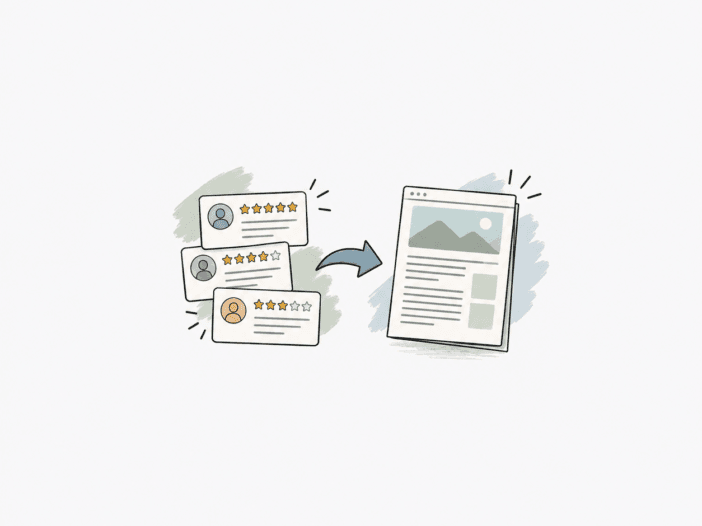
Not every buying question needs the same kind of article.
If you already have a specific backpack in mind and want to see if it fits your setup, start with a Product Insight.
If you know the size or use case you want and need a shortlist, a Roundup lets you compare real candidates.
If you are still figuring out what matters in a category—laptop fit, organization, access, capacity, or another buying problem—a Tech Carry Guide gives you the bigger picture before you start narrowing down options.
If you are comparing several models from one brand, a Brand Guide shows you how the lineup actually differs. You do not have to treat every model as interchangeable.
You might see the same evidence in more than one article type. The buyer question behind each article stays distinct.
Start With the Decision You Are Making
Before picking an article, check where you are in your own buying process. Are you just starting out, or are you already comparing specific models?
Are you trying to understand the category?
Are you narrowing a candidate list?
Are you evaluating one product family?
Are you comparing several models from one brand?
Or are you trying to understand how WellsifyU interprets the evidence itself?
Your answer points you to the article type that fits your decision.
| If You Are Asking… | Start With… |
| “Does this specific product fit my setup?” | Product Insight |
| “Which products fit this defined size or use case?” | Roundup |
| “How should I think about this category or buyer problem?” | Tech Carry Guide |
| “How do these models from one brand differ?” | Brand Guide |
| “How should I interpret the evidence?” | Methodology |
Use a Product Insight When You Are Evaluating One Product Family
A Product Insight makes sense when you already have a specific product in mind.
The useful question is not just whether the bag is good.
“Is this a good bag?”
The better question is:
“When does this product make sense, and when does it become less suitable?”
A Product Insight may help you examine:
- device fit;
- carry setup;
- organization;
- access;
- capacity;
- recurring strengths;
- recurring friction;
- variant differences;
- practical use boundaries.
If the evidence is strong enough, you may also see Buyer-Evidence Metrics or a Fit–Friction Matrix. These tools help you see where a product fits and where it runs into friction.
Use a Product Insight when your decision is already focused on one product family. This approach helps you see where the product fits your setup and where it does not.
Use a Roundup When You Need a Candidate Set Inside a Clear Boundary
A Roundup helps once you have narrowed your decision enough to compare several products on the same terms. You are looking for a set of real candidates, not just a list of popular names.
For example, if you know you want a laptop backpack under 20L, you have a clear buying boundary. The Roundup then compares only the candidates that actually fit that class.
The boundary is what matters most.
A Roundup should not turn into a random list of popular products.
Each candidate should first qualify for the defined decision. Each one should also have a clear reason to be included, such as serving a different buyer setup, organization style, carry role, or trade-off. This selection process keeps the list practical.
Check the exact variant.
If a product family comes in several capacities, check the exact variant.
A 20L version may belong in one size Roundup while a 30L version fits in another. Do not duplicate the same variant across size classes that do not overlap.
Expandable capacity needs context. A 26L bag that expands to 32L can cross a practical boundary when expanded, but that does not mean it should become two separate size-class entries. Check how the expanded size changes the fit for your setup.
Do not read “Best” as one universal winner.
A search-facing title may use the word Best, but that does not mean the article is trying to name one product as best for everyone. The real goal is to help you find what fits your needs.
The more useful question is:
Which candidates make sense for different buyers inside this defined boundary?
This approach keeps the Roundup focused on self-selection, not a generic leaderboard. You get a set of options that match your setup, not just a ranking.
Use a Tech Carry Guide When You Still Need to Understand the Decision
A Tech Carry Guide helps when the category or buyer problem matters more than any single product. Sometimes you need to understand the trade-offs before you even look at specific models.
A broad guide may explain how to think about laptop backpacks as a category: size, laptop fit, organization, access, carry comfort, travel use, and trade-offs.
A narrower guide may answer a specific problem such as:
- how to check laptop fit;
- how much backpack capacity you need;
- when structured organization becomes restrictive;
- how to think about personal-item vs carry-on use;
- why shared compartment space changes practical capacity.
Use a Guide when you need to understand how to decide before you start comparing specific products. This step helps you avoid narrowing your options too soon.
A Guide may use products as examples, but it should not turn into a Roundup. The focus stays on the decision, not on listing candidates.
Use a Brand Guide When the Brand Lineup Is the Decision
A Brand Guide helps when you already know the brand, but the models start to blur together. You want to see what actually changes from one model to the next.
You may be asking:
“What is the practical difference between these three laptop backpacks?”
or:
“Which model is aimed at daily work, and which one is better suited to travel?”
A Brand Guide can help you compare:
- lineup overlap;
- capacity differences;
- carry roles;
- organization approaches;
- recurring strengths;
- recurring limitations;
- variant boundaries;
- reasons to switch from one model to another.
The goal is not to list everything the brand sells. The point is to help you see which differences actually matter for your decision.
The point is to show which differences actually change the buying decision. You get a clearer sense of which model fits your setup.
Use Methodology Pages When You Want to Understand the Evidence Itself
Sometimes the real question is not about the product. The question is about the analysis itself.
You may want to know:
- what counts as stronger evidence;
- why one metric is shown, and another is not;
- how conflicting reviews are handled;
- why variants are separated;
- what a Fit Signal means;
- what buyer feedback can and cannot establish.
This section explains how the Methodology works. You’ll see how evidence turns into practical advice.
If you want the full framework, start with How WellsifyU Analyzes Buyer Evidence.
The Same Product Can Appear in More Than One Article
If you see the same backpack in several WellsifyU pages, that does not mean the content is duplicated. Each page answers a different buyer question.
Imagine one product appears in:
- its own Product Insight;
- a medium-size laptop-backpack Roundup;
- a Brand Guide;
- a Tech Carry Guide as an example.
Each page can still answer a different question.
The Product Insight asks whether the product fits your setup.
The Roundup asks how it compares with other candidates inside a defined boundary.
The Brand Guide asks how it differs from related models from the same brand.
The Tech Carry Guide uses it only when the product helps explain a broader buying principle.
The same product may show up in more than one article. The decision each article answers stays separate, so you can focus on the question that matches your setup.
When Overlap Becomes a Problem
Two pages become redundant when they answer the same buyer question with the same inclusion boundary, product set, and decision logic.
For example, a broad Laptop Backpacks Guide and a broad Best Laptop Backpacks page are hard to keep distinct if both try to recommend products across the entire category.
By contrast, these can serve different roles:
- Laptop Backpacks Guide: how to choose within the category;
- Best Small Laptop Backpacks: which candidates fit an under-20L decision boundary;
- One product’s Product Insight: whether that exact family fits your setup.
The test is simple:
Would you visit the two pages to answer the same buying question?
If yes, the intent is too close.
A Simple Decision Path
You do not need to follow WellsifyU in a fixed order. If you are starting from scratch, this sequence can help you find your way:
1. Start with a Tech Carry Guide if you do not yet know what matters.
2. Move to a Roundup once you can define the size, use case, or other selection boundary you want.
3. Open Product Insights for the candidates you are seriously considering.
4. Use a Brand Guide if several relevant candidates come from the same brand and you need to understand their differences.
5. Check Methodology whenever you want to understand how a conclusion, metric, fit signal, or evidence boundary should be read.
You can also jump in later if you already know what you want.
The Goal Is Better Self-Selection
WellsifyU uses different article types because Tech Carry decisions happen at different levels for different buyers. Your buying process may start with a broad question or a specific need.
Sometimes you need to learn the category. Sometimes you need a shortlist. Sometimes you need to understand one product. Sometimes you need to separate similar models from one brand.
Keeping each question separate makes the evidence easier to use. You get answers that match your setup, not just generic advice.
Instead of asking every article to name one universal winner, you can move toward the page that matches the decision you actually need to make.
