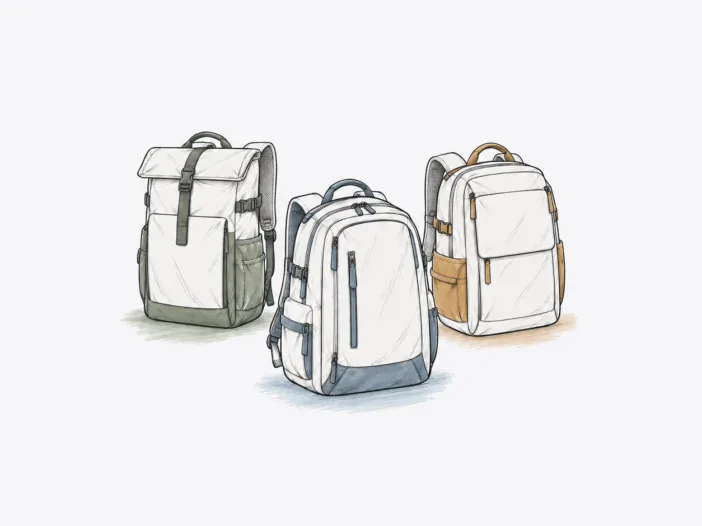
At this size, large laptop backpacks are no longer a simple “more space is better” decision. A 32L soft campus bag, a 40L framed travel pack, and a 45L security-focused travel bag can all make sense, but only when the extra volume matches what you actually carry.
The biggest switch points are loaded carry, body fit, and the laptop itself. Screen class isn’t the same as practical chassis clearance, and you shouldn’t treat a large travel backpack as a dependable under-seat bag just because it can compress. Start with the use case below, then jump to the matching product section for the boundary most likely to change your choice.
Find the Right Large Laptop Backpack for Your Priority
| If your priority is… | Start with… |
| High-volume school and work carry | JanSport Main Campus 32L |
| Longer loaded walking | Osprey Farpoint 40L |
| Framed travel with body-specific fit | Osprey Fairview 40L |
| Airport and transit carry at moderate loads | tomtoc Navigator-T66 40L |
| Security-first travel | Pacsafe EXP45 45L |
JanSport Main Campus 32L: Best for High-Volume School and Work Carry
The Main Campus is built for daily loads that actually require 32L. Two main compartments separate books, binders, lunch, and laptop gear, while padded S-curve straps and a structured back panel distribute the weight of a full school or work load. Compared to the SuperBreak, the Main Campus provides more capacity, thicker padding, and side straps that compress lighter loads. The larger body only adds value when you fill the space; otherwise, it becomes unused bulk.
Laptop fit extends up to mid-15-inch devices: the compartment accommodates 15.5- and 15.6-inch laptops, with a declared panel size of 16 by 12.5 inches. The structural limit is at the base. The laptop area includes face padding but lacks a suspended or cushioned bottom, so that a hard set-down can transfer impact directly to the laptop edge through the pack base.
- Choose it for regular high-volume daily loads. The 32L body is useful when books, food, clothing, and tech routinely share the bag.
- Skip it if bottom-impact isolation is mandatory. The base does not create a cushioned gap below the laptop edge.
- Watch the volume on light days. Compression can reduce floppiness, but it cannot make a 32L bag physically small.
Read the full JanSport Main Campus fit and durability breakdown.

Osprey Farpoint 40L: Best for Longer Loaded Walking
The Farpoint is engineered for loaded walking. The LightWire frame transfers weight to the hipbelt, and the framesheet spreads pressure across the backpanel. Unlike the Patagonia Black Hole 45, which lacks a suspension system, the Farpoint maintains load transfer over longer walks when the hipbelt supports the weight. The frame only works as designed when the hipbelt can carry the load.
The hipbelt fit is the structural gate. If the hipbelt cannot seat correctly, the frame loses its load path and cannot transfer weight as intended. Laptop fit also has a defined boundary: a 15-inch MacBook Pro fits at the limit, and a device near the declared 16-inch class can exceed the sleeve opening or internal depth.
- Choose it when the harness fits under real load. The frame is valuable only when the hipbelt and upper harness work with your body.
- Skip it if the hipbelt cannot seat cleanly. That is a fit failure, not a small comfort penalty.
- Treat laptop size as chassis geometry. A screen-size claim alone is not enough near the upper end of the sleeve.
Go deeper on Osprey Farpoint carry comfort and laptop fit.

Osprey Fairview 40L: Best for Framed Travel and Body-Specific Fit
The Fairview uses a frame to transfer load to the hips, but the hipbelt and shoulder geometry must align with your body for the system to work. The LightWire frame can move weight toward the hips, but under full load, pressure can return to the shoulders if the fit is off. The frame only provides support when the body interface is correct.
The laptop compartment creates a fixed claim on packing space. If the laptop structure occupies too much room, the remaining cavity may not fit shoes and clothing. If you need a laptop sleeve, the fixed structure can help, but it must still leave enough clearance to remove the device after you pack the main compartment.
- Choose it when the loaded harness sits cleanly. Hip support matters only when shoulder contact and neck clearance are right.
- Skip it if the laptop area crowds your clothing load. A fixed structure can take up space you would otherwise use for soft goods.
- Pack before judging access. A laptop that fits empty may be awkward to reach once the cavity is dense.
See how Osprey Fairview fit and packing-space trade-offs play out.

tomtoc Navigator-T66 40L: Best for Airport and Transit Carry
The Navigator-T66 40L is designed for airport and transit walking, not for sustained heavy trekking. Padding and a sternum strap can support a 15 to 20 lb load, but without a hipbelt, the bag cannot transfer significant weight to the hips. As load and walking time increase, the comfort margin decreases.
Laptop fit depends on chassis dimensions. A 16-inch Surface fits the sleeve, but a ThinkPad P17 does not, which shows that diagonal screen size does not guarantee fit for thicker workstations. Body size sets another boundary: at 5’1″, the 40L body exceeds practical carry size for some frames. When the bag’s volume exceeds your frame, the extra capacity becomes unusable.
- Choose it for transit-heavy trips at moderate load. Shoulder and sternum support work best before carry becomes prolonged and heavy.
- Skip it if your workstation can’t clear the sleeve. Thick chassis dimensions can exceed the limit even when the screen size seems close.
- Treat body size as a try-on decision. At 5’1″, the 40L was returned as too large, but that height is not a universal cutoff.
Explore the tomtoc Navigator-T66 capacity and device-fit analysis.

Pacsafe EXP45 45L: Best for Security-First Travel
The EXP45 stands out for its deliberate access friction. The anti-theft latch and multi-step security sequence slow both quick access and grab-and-run attempts. This design prioritizes theft delay over one-motion opening. If you need frequent access, the security hardware increases the time required to open the bag.
Carry comfort remains stable across airports and multi-day travel with loads up to 25 lb, but the shoulder strap can create pressure points during extended airport walks. A 16-inch MacBook Pro fits within the declared laptop range, but thicker 16-inch chassis can make the outside pocket tight due to limited expansion. Security features, walking duration, and device thickness all interact as structural boundaries.
- Choose it when deliberate, secure access matters. The extra steps are part of the theft-delay design, not an accidental quirk.
- Skip it if instant access matters more. The security sequence adds friction every time you open the bag.
- Thicker 16-inch laptops can become a tight fit. Limited pocket expansion narrows practical compatibility even inside the nominal size class.
Read the Pacsafe EXP45 security and loaded-carry breakdown.

How to Choose a 30–45L Laptop Backpack
- Check every airline’s current cabin rule. Compare the fully packed external dimensions and weight with the exact carrier and fare you will use.
- Confirm the exact capacity/configuration. Multi-size families can change main-pack volume, included components, and fit conclusions.
- Measure the packed under-seat profile if that role matters. Compression, seat geometry, and the current personal-item allowance can change the result.
- Measure the exact laptop chassis. Compare width, height, thickness, and any case against the sleeve opening, then confirm it closes without force.
- Wear the loaded bag before committing. Use your expected travel weight and walking duration to test hipbelt position, shoulder contact, neck clearance, and pressure points.
When a Large Laptop Backpack Is the Wrong Fit
If a 30–45L backpack no longer solves the main problem, move to the category that changes the constraint instead of forcing a large pack to do the wrong job.
| If you need… | Compare this category instead |
| Less bulk while keeping enough room for a typical laptop-and-daily-gear load | Best Medium-Size Laptop Backpacks (20–29.9L) — keeps the backpack format while reducing unused volume |
| A much smaller everyday or personal-item profile | Best Small Laptop Backpacks (Under 20L) — prioritizes compact carry over 30–45L capacity |
| More dedicated cushioning around the laptop itself | Best Laptop Sleeves — adds device-focused protection without requiring a larger backpack |
