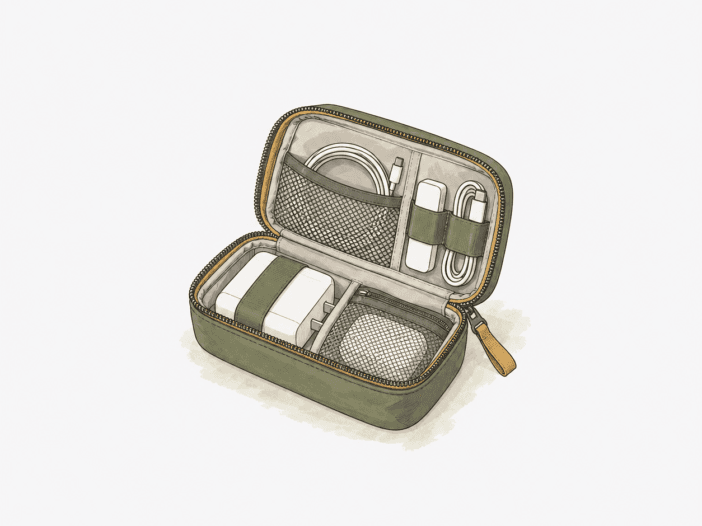
The Osprey Daylite Powerhouse is a 1L electronics organizer designed to fit inside a larger bag. The fixed 1L volume supports a compact, curated tech kit. As the load shifts to longer cables, a full set of laptop accessories, bulky rigid power gear, or pressure-sensitive electronics, capacity, retention, and protection define what fits and stays secure.
Compact everyday tech is its sweet spot.
Best for: A compact daily or short-trip kit of cables, chargers, a power bank, a mouse, and other small electronics that require separation inside a larger bag.
| Decision check | What matters |
| Usable capacity | The 1 L format suits a compact tech kit; cable-heavy or full laptop-accessory loads can exceed the practical space. |
| Accessory fit | Compact chargers and power banks fit better than bulky adapters or rigid accessories that may not sit securely in the elastic layout. |
| Protection boundary | Soft-sided construction organizes electronics but does not provide rigid crush protection for pressure-sensitive gear. |
| Organization role | Separate pockets and elastic holders work best as a removable tech module inside a larger bag. |
| Dimension verification | Published and measured dimensions vary, so tight-fit planning should be verified against the current unit. |
Main deal-breaker: Cable-heavy laptop-accessory loads and bulky rigid adapters can exceed the available volume or the retention geometry.
If your priority differs: A broad electronics load or fragile items that require rigid crush protection will exceed the limits of the 1L soft-sided format.

The 1 L footprint rewards a curated load, then runs out of room quickly.
The fixed 1 L enclosure sets a strict volume budget. As cable count and cord length increase, wound cables take up more of the available space. Medium-to-long cords may require tight rolling, and a full laptop-accessory set leaves little margin unless chargers are compact.
The Powerhouse works as a disciplined kit organizer, not a catch-all tech bag. For compact everyday carry, the Powerhouse matches the smaller load where larger pouches exceed the required volume.
| Load state | What the 1 L space supports |
| Small Bluetooth mouse + 65 W GaN charger | Fits within the compact working range |
| Two 20,000 mAh power banks + four power cords | Fits within the working range |
| Two chargers + four cables | Fits within the working range |
| Medium-to-long cords | Can require very tight rolling |
| Full laptop-accessory kit | Can feel too small unless chargers are compact |
Accessory shape matters as much as raw capacity.
Retention is the second constraint after volume. Four small elastic positions suit narrower accessories; thicker adapters can exceed the holder geometry, and rigid objects without a matching retaining point may fit inside but remain unsecured. Physical fit does not guarantee secure retention.
- Full-size 2019 87 W MacBook charger: Fits inside the Powerhouse.
- Travel power adapter: A thicker adapter can require its thinner section to sit in one small elastic strap.
- Rigid charging stand: Can fit inside yet remain loose without a dedicated retaining position.
- International travel adapter: Can exceed the available fit.
The organization works best as a removable module inside a larger bag.
With cables and small electronics loaded, the Daylite Powerhouse Electronics Organizer uses multiple compartments and pockets to keep gear separated and easy to reach, instead of loose and tangled inside a larger bag. Elastic holders and separate pockets restrain wound cables and small accessories, reducing mixing and the need to empty one undivided pouch to find a specific item.
Inside a larger bag, the same separation turns the Powerhouse into a removable tech module. You can lift electronics out as one unit without reorganizing the host bag, so the Powerhouse adds a controlled electronics layer rather than replacing the main carrier.
- Osprey Daylite 26+6: The Powerhouse fits as a separate tech module alongside a 14-inch laptop sleeve.
Soft sides organize well but do not make it a crush-protection case.
The Powerhouse has limited side structure and provides less resistance to external compression than a rigid case. Organization and structural feel do not guarantee crush protection. Fragile or pressure-sensitive electronics require a more structured case, even if the Powerhouse organizes them effectively.
Construction looks solid, but the durability horizon is still short.
Short-term use confirms the case is intact, but no lifespan is predicted. Stitching, zippers, and fabric indicate strong construction, while hardware robustness varies. No specific component failure or first point of failure is identified.
- 1 month of daily use and work travel: Fabric and finish remained intact.
- Other daily and consistent use: The pouch remained structurally usable, but the durations are not specified.
Exact dimensions are too inconsistent for tight-fit planning from one listing.
The manufacturer specification is 5.1 x 5.5 x 3.5 inches (H x W x D), but measured product states include about 7 x 5 x 2 inches and roughly 9 x 6 inches. Another listing expects 4 inches of depth. The cause of the mismatch is unresolved, so tight-fit planning should rely on the exact current unit, not a single dimension set.
What to check before buying
- Dimensions: Check the current first-party dimensions, then confirm the received packaging or physical unit before planning around a tight host compartment.
- Zipper-pocket location: Inspect the current unit before relying on the exterior pocket for passport or quick-access storage.
Buy it for a disciplined compact kit; size up when your load is broader.
Choose it if:
- Your normal kit is a compact mix of cables, chargers, a power bank, a mouse, and small electronics.
- You want a removable tech module that keeps a larger bag organized.
- Your accessories fit the compact elastic-and-pocket layout without needing rigid crush protection.
Skip it if:
- You normally carry a cable-heavy or full laptop-accessory load; move to a larger electronics organizer.
- Bulky travel adapters or rigid charging accessories need secure retention.
- Fragile electronics require a rigid or more structured protective case.
See Osprey Daylite Powerhouse on Amazon
Go larger only when the 1 L format becomes the constraint.
| Option | Best when |
| Peak Design Tech Pouch | You accept a larger, higher-priced organizer for a broader everyday tech load. |
Looking for other ways to organize chargers, cables, and small electronics inside your main bag? Browse the shortlisted options in our Best Tech Pouches roundup.
