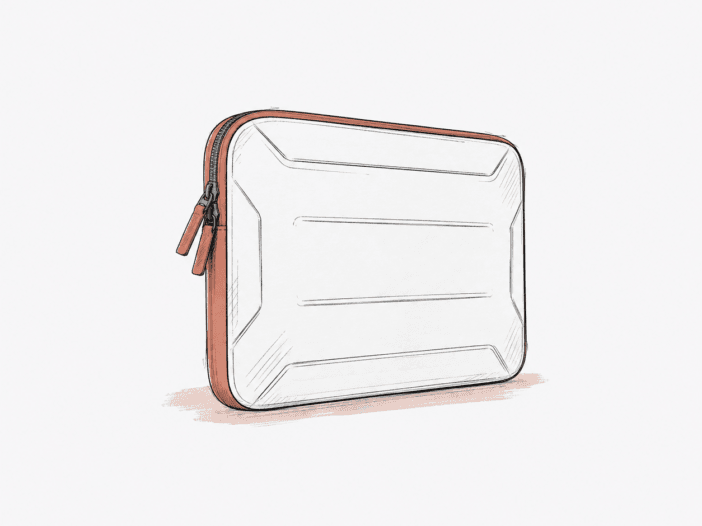
Buyers looking for a true laptop sleeve—not a sleeve-plus-accessories organizer—get the best fit here. The 14-inch version lines up cleanly with MacBook-focused setups and backpack carry. The 16-inch version still fits laptops well, but buyer reports point to tighter limits on accessory space, in-case use, and the protection you can expect.
The main thing to check isn’t the sleeve’s structure, but whether your specific laptop fits the size you pick—and whether you only need everyday-carry protection. Buyer reports without a clear sleeve size cover everything from snug fits to poor fits, plus mixed opinions on edge, corner, and impact protection.
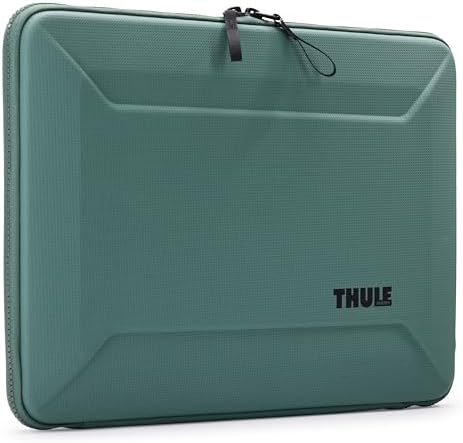
Product Snapshot
| Product detail | Decision relevance |
| Product role | A dedicated laptop sleeve; buyer evidence is strongest when the job is protecting and carrying the laptop itself. |
| Size variants in the evidence | 14-inch and 16-inch. Their buyer evidence is treated separately rather than pooled. |
| Strongest observed fit | The 14-inch variant with named MacBook setups, including work and backpack carry. |
| Main buying boundary | Exact device fit and protection expectations need checking; broader buyer reports include both fit mismatches and concerns about edge/corner impact protection. |
| Evidence limits | No controlled drop/compression testing, manufacturer compatibility chart, weather-resistance evidence, or reliable device-dimension boundary is established here. |
Buyer Evidence Metrics
Treat these metric signals as pointers for what to check in person. The eligible sample size is too small to support any numeric rates.
| Buyer Question | Metric | Evidence |
| Does the 16-inch sleeve’s slim, laptop-only role come with an accessory-space trade-off? | TCR — | Very Limited · n=1 |
| Does 16-inch in-case clamshell use come with some interior sliding? | TCR — | Very Limited · n=1 |
| Does long service life appear together with eventual zipper wear? | TCR — | Very Limited · n=1 |
How these metrics work:
- Trade-Off Coupling Rate (TCR) measures how often an observed product strength appears together with a specific friction among eligible buyer evidence.
- n is the number of relevant, eligible, deduplicated buyer observations used for that metric—not the product’s total review count.
- These signals come from buyer evidence, not lab-tested product scores. Since each signal here has just one eligible observation, there’s no TCR number shown.
See how these buyer-evidence metrics work.
Fit–Friction Matrix
The split is simple. The 14-inch sleeve shows the most consistent fit pattern. The 16-inch sleeve works best if you treat it as a laptop-only case and set narrower protection expectations.
| Buyer Setup / Context | Fit Signal | Main Friction |
| 14-inch sleeve + MacBook Pro 14, MacBook Air 13.6, or M5 Pro 14-class setups | Recurring Strong Fit | No recurring 14-inch friction is established in the size-identified reports. |
| 14-inch sleeve + backpack or work-travel carry | Recurring Strong Fit | The evidence supports protective carry, but it does not establish controlled drop, compression, or weather performance. |
| 16-inch sleeve + laptop-only everyday carry | Generally Works | Accessory storage is not established; one size-identified buyer explicitly reported no provision for extra items. |
| 16-inch sleeve + in-case clamshell or lap use | Conditional Fit | Specific reports flag some interior sliding and a need to manage the support strings carefully when closing the laptop. |
| Carry where edge, corner, drop, or backpack-compression protection is the main requirement | Mixed / Variant-Dependent | Some buyers report a sturdy protective feel, while others question edge/corner padding and impact protection; many of these reports do not state the purchased sleeve size. |
| Choosing a sleeve by laptop screen size alone without confirming the exact device/sleeve pairing | Mixed / Variant-Dependent | Buyer reports include snug fits as well as examples described as too tight, too small, or too loose when the purchased sleeve size was not stated. |
Variant Fit Patterns
The 14-inch sleeve shows the most consistent fit pattern.
Multiple buyers with the 14-inch sleeve report a good fit and solid protection for MacBook Pro 14, MacBook Air 13.6, and M5 Pro 14 setups. Work travel and backpack carry come up often, with no size-identified negative patterns in these reports.
One buyer got a MacBook M5 Pro 14 A3426 to fit and close with transparent covers attached. That’s a real-world example, but it does not guarantee every case or cover will work.
Another buyer described a very tight fit for an M5 Pro 14, but did not say which sleeve size they bought. That complaint does not change the clear 14-inch fit pattern.
The 16-inch sleeve works best as a laptop-only case.
Buyer evidence for the 16-inch sleeve supports a good laptop fit and basic protection, including for a 16-inch MacBook Pro. The main trade-offs show up when you try to carry more than just the laptop.
Specific size-identified reports flag three conditions to keep in mind:
- One buyer describes the sleeve as deliberately slim with no space for extra items.
- In-case clamshell use can work, but one buyer noticed the laptop sliding somewhat on the soft interior surface.
- Another buyer warns that the laptop isn’t retained internally if the zipper is left inadequately closed.
Set a narrow protection expectation. One 16-inch buyer called the sleeve sturdy, but said they would not count on it to stop sharp-corner or puncture damage.
Long-Term Use Is Encouraging, but Zipper Evidence Is Mixed
Buyer reports suggest the Gauntlet sleeve can last for years, but the evidence does not support promising long zipper life.
One buyer got about eight years out of a previous Gauntlet case before the zipper failed. Other buyers mention repeat purchases or multi-year use, but some report zipper problems much sooner.
Most of these long-term and zipper reports do not specify sleeve size, so treat them as general cautions, not predictions for the 14-inch or 16-inch versions.
What Buyers Should Check Before Buying
Match the sleeve to the exact job you need it to do. That’s the safest way to buy.
- Check your laptop’s actual size against the sleeve’s listed fit. Named 14-inch MacBook setups get strong positive reports, but when buyers skip the sleeve size, results range from too tight to too loose.
- Decide if you want a sleeve or an organizer. The 16-inch evidence points to carry laptop-only. Do not count on space for a charger, mouse, phone, or other extras.
- Set realistic protection expectations. Many buyers call the sleeve sturdy, but there is no evidence for controlled drop, corner impact, or backpack compression protection.
- Close the laptop and zipper carefully. Some buyers say the internal support strings work fine if you close the laptop first. Another buyer points out there is no internal retention if you leave the zipper partly open.
- Long-term durability looks promising, but it is not guaranteed. Buyer reports mention multi-year use and repeat purchases, but also some zipper failures.

The Gauntlet takes a more structured approach. To see how that trade-off compares with the other options, explore our Best Laptop Sleeves roundup →
