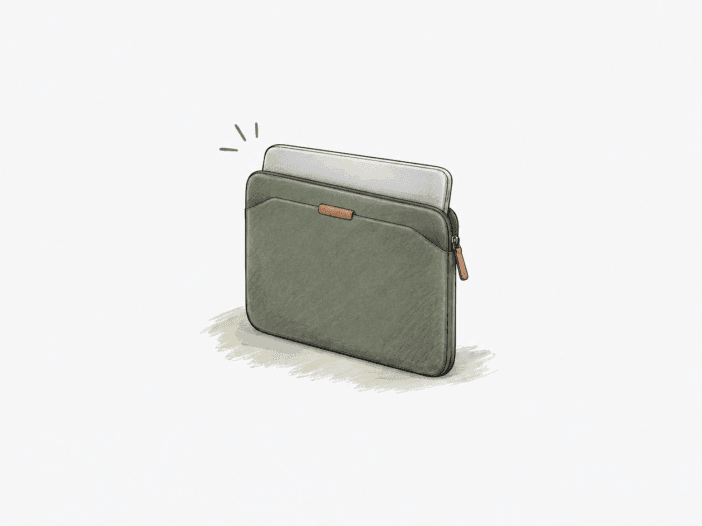
The Bellroy Laptop Sleeve is built around a close-fitting soft shell and a magnetic opening rather than a zipper. That combination keeps the carry format compact, but it also makes device geometry unusually important: the sleeve must accommodate the laptop while still leaving enough room for the magnetic edges to meet.
This sleeve is engineered for a bare laptop with measured dimensions. Choosing by screen size alone, using a rigid shell, or expecting the sleeve to double as a tech organizer or high-impact case exceeds its intended structural limits.
A precise bare-device fit is what makes this sleeve work.
Best for: a bare laptop that settles fully inside the sleeve without force, when you need a compact layer for daily in-bag protection and quick magnetic access.
| Decision check | What matters |
| Device fit | Chassis dimensions matter more than the 14-inch label; compare against the stated 312 × 221 × 15 mm maximum and confirm the laptop seats fully. |
| Magnetic retention | Full seating is needed for clean magnetic engagement; retention can become less secure when the opening or clasp side points downward. |
| Laptop with hard shell | A rigid case can consume the remaining clearance and prevent the magnetic lid from closing even when the bare laptop fits. |
| Accessory carry | The single-compartment format favors one main device; charger, cable, mouse, or a second device can exceed the usable space. |
| Protection boundary | The quilted lining suits everyday scratches and small bumps, but the open lower corners and soft structure do not provide sealed or higher-impact protection. |
Main deal-breaker: a laptop labeled 14-inch can still exceed the sleeve’s thickness or width limit, preventing full closure. The magnetic opening doesn’t provide fail-safe retention if you carry the sleeve with the opening or clasp side facing down.
If your carry requires a laptop inside a hard shell, a combined laptop-and-accessory setup, or a closure that cannot release under load, you need a different carry format.

The 14-inch label is secondary to chassis clearance.
A MacBook Air M4 sits inside the working end of the boundary: it fits with extra room, so insertion and removal stay easy without using all the sleeve’s available clearance. The declared maximum device size is 312 × 221 × 15 mm, making chassis geometry more useful than the screen diagonal when judging whether the laptop has room to settle fully.
Extra thickness consumes that clearance first. When a laptop sits too high or too tightly inside the sleeve, the magnetic surfaces may not make full contact; that turns a physically insertable laptop into a poor practical fit because closure becomes partial, forced, or impossible. If your laptop is close to the stated limit, use full seating plus full magnetic engagement as the pass/fail test—not whether the device can be pushed inside.
| Laptop | Fit in the 14-inch sleeve |
| MacBook Air M4 | Fits with additional room for easy insertion and removal. |
| Microsoft Surface Laptop 13.5-inch | Tight, but still works. |
| MacBook Pro M1 14-inch | Snug without becoming uncomfortably tight. |
| MacBook Air 15-inch | Does not fit the 14-inch sleeve. |
Magnetic access stays convenient only while the closure can overlap fully.
The magnetic opening works at its fastest when the laptop sits deep enough for both sides to meet without pressure. If the fit is too snug, overlap decreases, and the magnets require more force to close. The zipper-free convenience depends on maintaining the correct fit boundary.
Retention is the next structural limit. An oversized laptop can prevent the magnetic surfaces from engaging fully, reducing holding strength. When the opening or clasp side is carried downward, the closure can range from holding under light movement to releasing completely. The magnetic closure provides quick access, not the fail-safe retention of a mechanical fastener.
- Full seating: the magnetic edges can engage cleanly and preserve quick access.
- Very snug seating: reduced overlap can make closure require force or leave the magnets only partly engaged.
- Opening-down carry: retention can become orientation-dependent, including complete release at the failure point.
A rigid laptop shell can erase the remaining fit margin.
A laptop that fits bare may not fit once inside a hard shell. Even a thin rigid case increases thickness, and the sleeve does not specify a working range for combined dimensions.
Added bulk can shift the laptop from a bare fit to a non-fit or prevent the magnetic lid from closing. If the laptop stays in a shell, confirm the total dimensions or select a sleeve with extra clearance.
The single-device format leaves accessories to another bag.
This sleeve functions as a device-first layer, not a tech organizer. Once the laptop fills the main compartment, there is no structural space for chargers, cables, a mouse, a second tablet, or a separate notepad compartment. If you need one case for the laptop and its accessories, this sleeve doesn’t offer the internal organization you need.
- Charger or cable: interior space can run out once you load the laptop.
- Mouse or second device: the slim volume isn’t designed for a multi-item tech loadout.
- Thin notepad: there is no separate internal sleeve or extra pocket for it.
Soft lining handles everyday contact, but the bottom stays partly open.
The quilted microfiber lining creates a soft barrier against scratches, bumps, and minor impacts, suitable for in-bag carry and routine handling. This is light-duty protection, not structured drop protection. For higher-impact travel, use an outer bag or a more protective case around the laptop.
The lower-corner cutouts create physical openings at the bottom edges, allowing dust or debris to enter. A snug laptop can stay recessed and not protrude, but the sleeve does not provide full perimeter enclosure. If you require every edge sealed, the corner geometry is a coverage compromise.
Long-term use can stay structurally sound without proving a lifespan.
A MacBook Pro 14-inch can remain protected after 6 months of use. Other sleeves have stayed structurally intact after 1 month, 18 months, and over 2 years, though these are separate units and not a single lifecycle.
Structural function can persist well beyond initial use, but there is no set replacement interval. Cosmetic wear may appear while the sleeve remains structurally sound, with no established onset timing.
What to check before buying
- Measure the laptop chassis: compare exact width, depth, and thickness with the stated 312 × 221 × 15 mm maximum rather than relying on the 14-inch label.
- Check the current sleeve unit: one December 2025 unit was described as larger than an older unit, so do not assume every nominally identical unit has the same closure clearance.
- Reconcile Surface Pro 9 specs: the 350 × 260 mm fit statement conflicts with the 312 × 221 × 15 mm maximum; compare current first-party dimensions.
- Verify retention in your carry orientation: seat the laptop fully, confirm complete magnetic engagement, and check that the closure holds with the opening or clasp side positioned as you actually carry it.
Choose it for slim bare-device carry—not uncertain fit or fail-safe containment.
Choose it if:
- your bare laptop sits comfortably inside the fit boundary, and the magnetic edges meet fully without forcing;
- you want quick zipper-free access and a compact layer for scratches, bumps, and in-bag carry;
- chargers and other tech accessories can live somewhere else.
Skip it if:
- your laptop is near the fit ceiling or normally stays inside a rigid shell;
- you need fail-safe containment when the sleeve may be carried opening-down;
- you want one case to hold the laptop plus power gear, a mouse, or a second device;
- magnetic retention is the wrong trade-off for you, so choose a sleeve with a different closure system.
Check the Bellroy Laptop Sleeve on Amazon
Change size when the laptop sits outside the 14-inch fit boundary
- 15-inch MacBook Air: Bellroy 16-inch Laptop Sleeve on Amazon— the larger Bellroy size for this laptop; other large-laptop fit still depends on exact dimensions.
- If magnetic retention is the deal-breaker: Best Laptop Sleeves — broaden the search to other closure designs; a Mous laptop sleeve replaced the Bellroy after one opening-down failure, but its fit and closure behavior are not characterized here.
