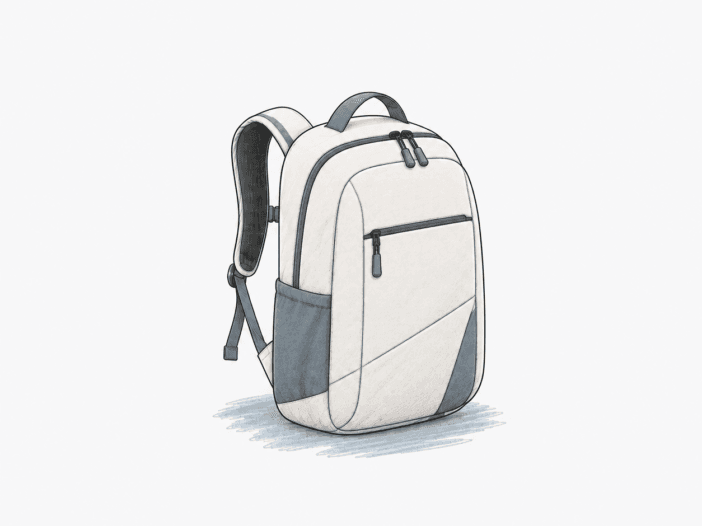
The Targus Intellect Essentials pares laptop carry down to a slim 16L shell, a side-entry sleeve and three broad compartments. Its low bulk makes a light commute easy, while thick laptop corners, sparse organizers and limited bottom-edge padding set the practical limits.
0.92 lb
Shoulder carry: 0.92 lb shell
1.53 in
Laptop clearance: 14.75 × 1.53 in listed

Built for
- A thin laptop, charger, mouse, and a small set of documents.
- Short commutes needing a low-profile backpack rather than a thick daypack.
- Simple access to a laptop and a few daily essentials.
Not built for
- Thick gaming laptops with squared corners or uncertain 16-inch chassis clearance.
- Heavy books, bulky equipment, and elaborate small-item organization.
- A commute that requires a suspended, padded laptop base or dependable storm protection.
- Travelers needing a dedicated trolley sleeve or exterior bottle holder.
Where the Targus Intellect Essentials stops working
Consistent the same pattern holds within the covered conditions · Varies the outcome can change with setup, load, fit, or use · Occasional an exception appears alongside stronger working evidence
| Decision area | Stops working when | Still works |
|---|---|---|
| Packing depth Varies | A thick laptop plus multiple bulky accessories can crowd the shallow main space and bulge the bag. | A thin laptop, cables, a mouse and a modest amount of paperwork stay within the slim daily-carry role. |
| Shoulder carry Varies | Heavy books or extended walking put more sustained pressure on the lightly padded straps. | A light laptop and a small notebook use the contoured straps without much bulk. |
| Laptop clearance Varies | Wide or thick gaming-laptop corners meet the rounded top or force the zipper, and a 17-inch Alienware m17 does not fit. | A slim 13–15.6-inch laptop can enter without forcing the curved zipper when its chassis clears the opening. |
| Laptop access Consistent | An open side zipper or an awkward shoulder orientation turns easy access into handling strain or exposure. | The tall lateral zip gives a thin laptop direct access without disturbing cables or notebooks. |
| Interior layout Varies | Many small adapters and a second tablet need separation that the open compartments don’t provide. | A laptop, a few folders, and basic cords benefit from clear, broad compartments. |
| Impact protection Consistent | A hard-floor contact can reach the base through thin bottom material even when the sidewalls feel padded. | The rear compartment cushions the laptop’s face and side edges during normal carry. |
| Bottle storage Consistent | The carry setup needs a separate outside bottle holder or easy access to hydration. | A 26 oz bottle can share interior space with a slim laptop and a compact lunch load. |
| Rain exposure Varies | A heavy shower wets the exposed zip tracks and can reach electronics inside. | Light incidental moisture does not require a bulky weather cover for every short trip. |
Main deal-breaker: The padded sleeve can leave the laptop base exposed to hard-floor contact, while thick device corners can also press into its rounded side-entry opening.
If your priorities differ: Protective padding and predictable laptop clearance should take priority over a slim outline for an expensive or bulky computer.
How the Targus Intellect Essentials works
What the 16L main compartment actually carries
16L declared · Slim body
The Targus Intellect Essentials keeps a laptop close to the back and leaves a separate middle compartment for documents and loose accessories. Its 16L shell stays shallow instead of spreading into a deep travel-pack shape. A basic load of charging cords, a mouse, and notebooks can ride next to the computer without turning the pack into a bulky box.
The middle compartment does not retain its full apparent space once a laptop occupies the rear area. A thin 14–15-inch laptop can leave enough room for a 26 oz bottle and a bento box in a compact setup, but a thick computer presses into the space available for other cargo. Adding several bulky adapters or lunch containers pushes the fabric outward and changes the narrow profile.
The result is a useful difference between rated volume and comfortable packing volume. A daily load centered on a laptop remains manageable; a load demanding substantial food, spare clothing, and large electronics starts fighting the shell’s depth. The 16L rating describes total space, not a promise of roomy packing beside every laptop.
How the straps handle a light commute
0.92 lb shell · Mesh back
The Intellect Essentials uses curved shoulder straps and a padded back panel to carry a light laptop setup. Its empty weight is 0.92 lb, so the bag adds comparatively little weight before you add electronics and documents. The air-mesh contact panel also allows some airflow against your back.
The straps are not a thick suspension system. Padding spreads pressure when the load stays small, but a laptop plus heavier books can put more sustained force on your shoulders. Long carry periods can make the relatively thin strap material feel stiff even while shorter trips remain comfortable.
Shoulder fit also depends on body proportions and strap positioning, not just wearer height. A broader build can make the compact shell look small, while a tall wearer can still find the carry comfortable. Comfort favors a light work setup rather than a heavy school or travel load.
Why 16-inch screen size alone cannot settle laptop fit
Up to 16-inch claim · 14.75 × 1.53 in listed
The laptop compartment accepts devices through a tall side opening, with a zipper curving around the upper edge. Targus lists compatibility with laptops up to 16 inches and gives the compartment a 14.75 × 1.53-inch measurement. A laptop’s screen diagonal doesn’t describe the full width, thickness, or shape of its chassis, so similarly labeled computers can fit the opening very differently.
Slim machines slide into the sleeve easily. A 13-inch HP Spectre x360 fits with space left, and a 2015 MacBook Pro fits comfortably in another carry configuration. Thin 15.6-inch laptops can also pass through the opening without struggling against the zipper. A 16-inch MacBook Pro fits in one configuration, while a separate 16-inch Mac fit answer rejects the size; the device dimensions and bottom-edge padding are separate concerns.
The rounded upper corners become the limiting geometry with thicker gaming hardware. An HP Omen reaches the rounded top with its corners pressing against the fabric, while an Acer Nitro fails to fit along the same rounded opening. A 15.6-inch Acer Nitro fits in another setup, so a model-family name alone cannot resolve the disagreement. A 17-inch Alienware m17 does not fit the separate setup in which the Acer does.
The laptop compartment therefore favors slender, smooth-cornered chassis. For a deeper body, the zipper may close under tension or stop short even when the screen measures less than 16 inches. The practical limit is chassis clearance at the side opening and curved top, not diagonal screen size alone.
The side zipper trades convenient access for closure discipline
Side-entry sleeve · Curved top zip
The dedicated laptop zipper travels along the side of the Intellect Essentials and curves toward the top. The long opening allows a slender computer to slide into the padded rear compartment without threading through a narrow top gap. The middle and front compartments stay separate, so retrieving the laptop doesn’t require emptying the rest of the load.
The zipper orientation changes how the bag behaves on the shoulder. The side access faces the easier direction when the backpack swings onto the right shoulder, but the same movement can feel awkward for a person accustomed to swinging a bag onto the left. The access path saves motion only when its position matches the wearer’s habit.
A lateral opening must also close completely before the pack moves. An unsecured opening can create a path for the laptop to slide outward, and a laptop fell from the side compartment during a trial use. The incident doesn’t define how every properly closed zipper behaves, but it underscores the importance of closing it when carrying expensive equipment. Quick side access works best with an intentional fully closed zipper and a comfortable shoulder-swing direction.
Three compartments leave small tech items largely unorganized
Three compartments · No dedicated tablet sleeve
The Targus separates a laptop in the rear, documents in the middle, and quick-use objects in the outer pocket. Large categories stay apart without elaborate dividers. The middle compartment holds files and folders alongside a few charging accessories, keeping the pack simple for a minimal commuting kit.
The middle area stays mostly open rather than fitting loose electronics into small slots. The open compartment lets loose chargers, keys, and USB accessories collect together instead of staying individually located. The laptop sleeve also lacks a separate built-in tablet divider: a 9.7-inch iPad in its own case can move into the document compartment when the rear sleeve holds a laptop.
The uncluttered design becomes a drawback when the load includes multiple charging bricks, pens, or adapters that need fast retrieval. A separate small organizer may reduce loose-item mixing, but it also takes up space in the already shallow interior. The three-zone layout manages a few objects well; it does not replace a detailed tech organizer.
Padded sides leave the laptop bottom more exposed
Padded faces · Bottom-edge concern
The rear laptop section includes padding along its broad faces and edges. The soft lining reduces ordinary contact between the computer and the surrounding contents while keeping the Intellect Essentials slim. The upper and side surfaces therefore feel different from a completely unpadded fabric pocket.
The lower edge is the more demanding contact point. A laptop base can settle against the bottom seam, and thin fabric beneath the device offers little cushioning when you place the bag firmly on a hard floor. A 16-inch MacBook Pro can fit in the compartment yet still sit above an area with almost no perceptible bottom padding. The padded sidewalls do not lift the laptop base away from the floor seam.
A padded sleeve is not the same as a suspended compartment with a protected floor. Side padding still helps against rubbing and light pressure, but it cannot stop a sharp impact from reaching an exposed base. The bottom-edge cushioning is the protection decision to make before carrying an expensive laptop.
More details
A water bottle can fit inside, but exterior access is limited
The 16L main compartment can take a drink container alongside a light computer load. A 26 oz bottle fits with a 14–15-inch laptop and a bento box in a compact packing configuration. The bottle uses shared interior space rather than a dedicated external holder, so its diameter matters to how the front of the pack expands.
The bag can arrive without the mesh bottle holder visible in a retail product video. Without an exterior holder, you have to open the main compartment to retrieve the drink. Placing it beside electronics also raises spill-containment concerns.
The bag still moves a drink from place to place in an economical small loadout, but it does not offer the same quick outside hydration access as a backpack with a dedicated side pocket. A bottle fits only by sharing internal volume with the rest of the load.
The mesh back panel improves everyday airflow
The Intellect Essentials covers its padded rear panel with air-mesh material. The textured surface moves some air across the contact area, while the shoulder straps keep the laptop close to the wearer. The result is more breathable contact than a smooth, fully sealed backing during a light commute.
The foam and mesh still rest against the back. Warm conditions and long wear can cause perspiration because the slim bag has no separate suspended mesh frame to create a deep air gap. The panel improves contact comfort without turning the backpack into a high-ventilation hiking suspension system.
Long zipper pulls help access, but operation can vary
The Targus uses zippers with extended pulls along the laptop and accessory openings. The longer tabs are easier to grip, and the long laptop-side opening helps the teeth follow a broad curve instead of forcing the computer through a short gap. A well-tracking zipper therefore feels straightforward with a light load.
Fuller packing changes the tension around an opening, especially near the rounded top. A poorly aligned or less smooth zipper can feel weaker under the same hand movement, while a large pull tab does not measure zipper lifetime. Long pulls stay convenient to grip, but each zipper’s running quality still depends on its teeth and load alignment.
The useful distinction is between access geometry and actual closure behavior. The long pulls make the opening easy to grab, but a zipper still needs to run smoothly around the loaded bag.
Uncovered zippers limit wet-weather protection
The Intellect Essentials has fabric surfaces that resist light incidental moisture. The outer material can help shed incidental moisture, and the thin profile creates relatively little exposed bulk during a brief trip.
The zipper tracks sit without protective rain flaps. Water running across the bag in a heavy shower can reach a seam or pass through the exposed closure line despite resistance at the fabric face. The padded laptop compartment adds no waterproof barrier at the opening.
The pack suits a short protected commute better than sustained uncovered rain. Moisture protection depends on the exposed zipper path, not on fabric feel alone.
The quick-access front pocket stays basic
The Intellect Essentials places a discreet zip pocket on the outer face of the backpack. The front pocket holds a phone and wallet apart from the laptop, reducing the need to open the main compartment for routine items. You can access the pocket from the front without unpacking papers.
The front pocket measures roughly 7 inches across and 8.5 inches deep in a single hand-measured configuration, with a zipper opening narrower than the pocket interior. An object that fits the pocket’s interior may still be awkward to pass through its opening. The pocket has no fitted small-item compartments in the simple front layout and relies on the outer bag fabric for its outside wall.
The opening therefore works best for frequently reached, flat essentials rather than a tightly packed collection of chunky accessories. Front access saves time. The zipper mouth and simple lining still limit what fits.
Rolling-luggage attachment requires a rear sleeve
The Targus adds a top handle for short hand-carry transitions, alongside its usual shoulder straps. Its compact size lets it sit beside personal luggage without adding much bulk.
A roller suitcase needs a physical rear sleeve to hold the backpack against the telescoping handle. The back panel may lack a trolley pass-through, leaving no strap for the normal slide-on attachment. A top grab handle doesn’t replace a mounting loop.
Travelers can still lift the pack independently, but the backpack won’t become an integrated rolling-luggage companion without a usable built-in pass-through on that specific backpack. Carry the pack separately unless the exact rear panel supplies a usable attachment.
Under-seat packing works best with a restrained load
The Intellect Essentials keeps its body narrow at 16.75 × 12.19 × 5.71 inches in the published dimensions. A lightly packed configuration with a 14-inch laptop fits under an aircraft seat, making the bag useful for travel involving a computer and a few small essentials.
The under-seat result changes when the pack bulges. A thicker laptop or extra gear makes the shallow shell sit farther forward, using up more under-seat clearance. Personal-item allowances also depend on the specific flight, so compact appearance alone cannot determine rule acceptance.
The small footprint favors a light travel kit, not an overloaded backpack treated as universally compliant cabin baggage. Under-seat use depends on the fully packed shape and the current flight’s limit.
The low price only works when the feature list fits
The Intellect Essentials concentrates its construction on a lightweight shell, a laptop compartment and two general-purpose storage areas. A buyer who needs only a basic commuter carrier benefits from fewer bulky panels and less unnecessary interior hardware.
The sparse organizer and limited bottom-edge cushioning can reduce the pack’s value for a buyer expecting deeper protection or a full office organizer. Paying less for a simple backpack is useful only when the short feature list matches the actual laptop and cargo requirements.
The current selling price can change, so past price impressions shouldn’t drive the decision. The practical value comes from a light, simple loadout—not from assuming the compact shell can replace a fully equipped travel backpack.
What remains to confirm before choosing
- Useful life: Inspect panel joins and shoulder-strap attachment stitching when the pack arrives, and check current warranty conditions.
- Laptop clearance: Compare the exact laptop chassis, including its corners and thickness, with the zipped opening.
- Impact protection: Feel the sleeve floor and look for raised clearance or padding beneath the laptop, not just on the sides.
- Bottle storage: Inspect the exact exterior for a bottle sleeve rather than relying on an unrelated product video.
- Rain exposure: Inspect zipper coverage and add a separate rain barrier when a wet commute is expected.
See the Targus Intellect Essentials on Amazon
