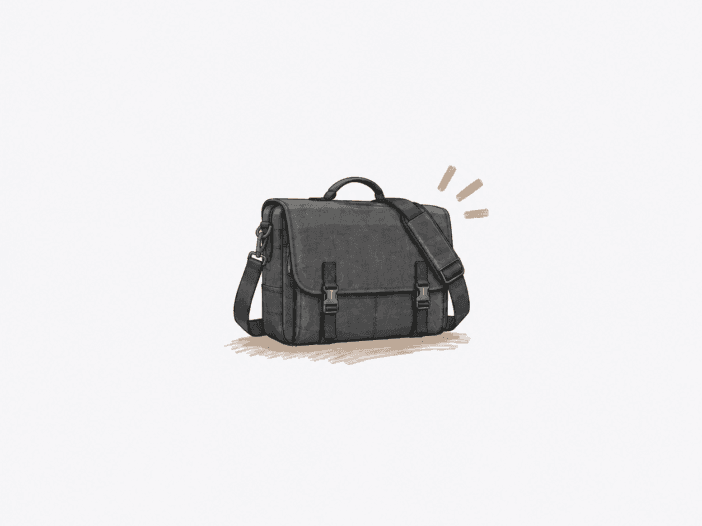
The Kenneth Cole REACTION Risky Business is built for a light office load: a laptop or tablet, papers, a notebook, and a limited set of accessories. The soft leather body and quick flap access simplify carry, but these same features set the physical boundaries you need to consider before buying.
The critical factor isn’t visual size, but whether your specific laptop and daily load fit in a shallow, shoulder-carried structure that offers limited impact protection and a reduced closure margin as capacity fills up.
Best for a light office load carried from the shoulder
Best for: A controlled work load built around a laptop or tablet, papers, a notebook, and a modest accessory kit.
| Decision check | What matters |
| Daily load | The 3-inch body suits a laptop or tablet, papers, a notebook, and restrained accessories; bulky books or near-capacity packing quickly consume usable depth. |
| Laptop fit | The laptop section is 14 × 10 × 2.5 inches. Chassis dimensions matter more than screen diagonal, so 15–15.6-inch labels alone do not predict fit. |
| Carry mode | The shoulder strap is the primary load path. The top handle is better for light pickup than sustained loaded briefcase carry. |
| Protection boundary | The soft body does not provide dependable impact isolation. Adding a padded sleeve improves protection but reduces remaining laptop clearance. |
| Closure security | The flap is quick to access, but near-capacity packing can interfere with alignment and increase stress around the closure hardware. |
Main deal-breaker: Laptop fit varies by chassis and accompanying load, and you shouldn’t treat the soft bag as a padded laptop case or a loaded briefcase.
If you routinely carry dense books, need sustained hand carry, or require secure impact-isolated device storage, this is the wrong starting point.
The 3-inch body favors a curated office load.
With a 3-inch depth, the main compartment holds a curated work kit, but bulky items use up that space fast. A laptop or tablet, papers, a notebook, and a small set of accessories fit within the usable range.
Thicker laptops, large books, or packing near maximum capacity reduce available space for other items and can force the flap out of alignment. The structural limit is a light office load, not dense backpack-style packing.
- Light work kit: A laptop or tablet with papers, a notebook, and small accessories stays inside the useful range.
- Binder load: One or two binders can fit, but adding more moves beyond the bag’s comfortable depth.
- Near-capacity packing: Filling the main body and front pockets reduces residual space and can make flap alignment harder.

The top handle is a pickup point, not the main load path
The shoulder strap is designed to carry the load by distributing weight along the side and base. The small top handle focuses force at a narrow attachment point and does not balance weight, so heavier loads can cause the bag to lean or slip forward.
The handle supports light pickup and repositioning, but as weight increases, the attachment can be stressed to the point of separation. This design makes the bag suitable for shoulder carry, not for sustained hand carry as a structured briefcase.
- Shoulder carry: The adjustable shoulder strap is the intended primary load path.
- Light pickup: The handle can work when the bag is not heavily loaded.
- Loaded hand carries: Higher weight can create an off-center lean, awkward handling, and attachment stress.
Laptop fit is a chassis-and-load problem, not a screen-size rule.
A bulky 15.6-inch Dell XPS can fit, but only with one book beside it. This configuration brings the bag to its practical limit, so fitting the laptop doesn’t guarantee usable space for other items.
The stated laptop section measures 14 x 10 x 2.5 inches. The variation in fit for 15-inch laptops shows that chassis dimensions and the rest of your load set the real boundary, not the screen size label.
A 15 x 10-inch laptop did not fit, which, combined with the bulky 15.6-inch Dell XPS example, confirms that screen size does not define a safe fit range. Chassis width, height, thickness, and the rest of your load determine whether the bag meets your daily requirements.
Laptop transport and laptop protection are two different jobs.
The Risky Business transports a laptop but does not provide reliable impact isolation. The soft, lightly structured body lets the device move with the rest of the load, and the fit doesn’t indicate padding under the base or at the corners.
This works if you control handling and don’t rely on the bag to absorb impacts. If device protection is essential, a padded sleeve adds the missing layer but reduces interior clearance, which can make a previously acceptable laptop fit too tight.
- Controlled handling: The bag can transport a device when it doesn’t need built-in impact isolation.
- Bare laptop: Physical fit should not be treated as proof of protective padding.
- Sleeved laptop: Added protection costs interior clearance, so the fit boundary changes with the sleeve installed.
Long service is possible, but there is no defensible expected lifespan.
The Risky Business can remain structurally usable for two or four years, and some units have reached 20 or 22 years in serviceable condition. These durations show that long service is possible, but they do not predict lifespan, since load, exposure, unit condition, and the specific component that fails vary between cases.
Failure timing is unpredictable. A shoulder strap can begin to rip at the stitch line within 1 week, another unit may reach a ripped state at 2 months, and a black finish can start rubbing off after just over 1 month.
After about 1 year under a heavier school-style load, failure included a missing closure end, lining worn through at the magnet hardware, and a fraying canvas strap. The structural risk is concentrated at load-bearing attachments, closure points, lining contact areas, and finish, not at a predictable overall age.
Finish transfer depends on the surface condition and exposure.
Leather finishes vary enough that you cannot assume either clean performance or inevitable staining. Some dark finishes do not transfer color, while others bleed when damp, scuff easily, or leave polish on clothing.
Friction and moisture can move loose surface finish from the leather onto anything it contacts. On a susceptible black finish, this transfer can stain dress pants after just over a month.
- Stable finish: Some dark leather remained free of dye transfer in ordinary use.
- Moisture exposure: Damp leather can increase the chance of bleeding onto light materials.
- Loose surface polish: Transfer can occur through routine rubbing even without a structural failure in the bag.
Organization is simple rather than densely segmented.
The front gusseted pockets offer basic storage for a phone, cards, pens, cables, and similar small accessories.
When many small loose items share the same deep or flat pockets, keys and USB drives can become hard to see or retrieve, and the interior provides limited zippered separation. The structure supports a restrained work kit, not a densely segmented tech setup.
- Galaxy S4: It fits easily with a protective cover so that the phone-oriented storage can handle a relatively large smartphone footprint.
- Pens and cables: Small accessories fit, but separation remains simple.
- Loose micro-items: Deep narrow pockets can make the smallest pieces harder to see and retrieve.
Quick flap access loses margin as the bag fills.
The magnetic or snap flap closes quickly when the load is light, and closure points align naturally. As the bag approaches capacity, the packed body can force these points out of alignment, so closing the flap takes more effort and stresses the thin material supporting the hardware. This mounting structure is why some closure attachments eventually tear out while others remain intact.
- Light-to-moderate load: The flap aligns and holds without much effort.
- Almost full: Closure points may need deliberate alignment, and the supporting material carries more stress.
- Security-first carry: Quick external access provides less margin for crowded transit or loose-item containment than a fully secured closure.
What to check before buying
- Measure your laptop chassis. Compare width, height, and thickness with the 14 x 10 x 2.5-inch laptop section, then allow space for the rest of your daily load.
- Test the received finish. Rub a clean, light cloth on an inconspicuous area and look for loose color or polish before regular wear.
- Inspect device-contact surfaces. Confirm whether padding exists under and around the laptop, or whether your sleeve still fits without crowding the bag.
Choose it when you want a slim, shoulder-carried work kit.
Choose it if:
- Your daily load stays close to a laptop or tablet, papers, a notebook, and restrained accessories.
- Your exact laptop chassis fits while leaving usable room for everything else you carry.
- You plan to carry primarily from the shoulder and can accept controlled rather than impact-isolated device transport.
Skip it if:
- You regularly carry several bulky books or pack the bag close to maximum capacity.
- You need a structured top handle for sustained loaded hand carry.
- Your laptop only fits by crowding out the rest of your work kit, or built-in impact protection is non-negotiable.
See the Kenneth Cole REACTION Risky Business on Amazon
Dedicated laptop and RFID organization require a different setup.
If dedicated laptop and RFID organization matter more than the Risky Business’s open interior, the Come Bag Soon changes both.
| If you need… | Look at… |
| Dedicated 15-inch pocket plus RFID organization | Kenneth Cole Reaction Come Bag Soon – adds a 15-inch laptop pocket and an RFID-protected pocket. |
