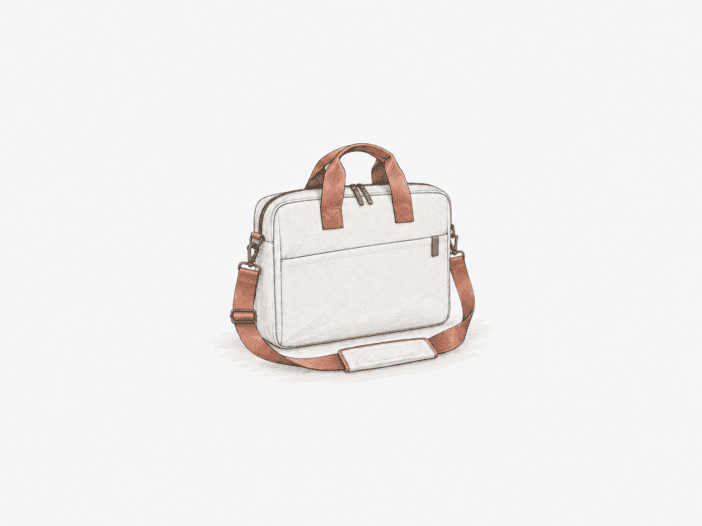
The Lenovo Laptop Bag T210 is designed to carry a laptop and a limited set of daily essentials while avoiding the bulk of a backpack. This low-bulk structure works best for office, campus, or short commutes where you handle the bag with care.
Your decision comes down to three physical limits: whether your laptop fits the bag’s geometry, whether the shoulder-strap attachment on your specific unit is reliable, and whether the impact protection matches your route’s demands. The number of pockets is secondary to these structural factors.
Compact daily carry works only when fit, hardware, and padding align
Best for: a laptop-first load with a charger, documents, and a few compact accessories, carried mainly on controlled daily trips.
| Decision check | What matters |
|---|---|
| Device fit | Screen-size labels alone do not guarantee clearance; the exact laptop and selected T210 size determine usable fit. |
| Shoulder hardware | Hardware varies by configuration; inspect the clips, rings, and attachment points before relying on shoulder carry. |
| Protection boundary | Soft padding suits controlled daily transport, not meaningful corner, bottom, or drop impacts. |
| Usable load | The slim compartment handles laptop-first essentials well but crowds quickly with bulky books or peripherals. |
Main deal-breaker: the T210 label includes configurations with different fit results and shoulder hardware. The soft padding is built for careful handling, not for absorbing significant drops.
If your priority is guaranteed clearance at the size limit, hardware you do not need to check, or stronger edge and bottom impact protection, skip this bag.

Laptop fit depends on clearance, not the screen-size label alone.
A 16-inch MacBook fits with space left for accessories in the cushioned pockets, as long as the laptop footprint and the bag’s geometry leave enough clearance. In this state, the laptop does not fill the entire opening or take up the shallow space needed for the rest of your load.
As your laptop’s footprint or thickness approaches the compartment and opening limits, insertion clearance shrinks, and accessory space tightens. The device may still fit but become difficult to remove or leave too little room for other items. Choosing a larger T210 size can trade a snug fit for more usable space.
| Configuration | Practical fit signal |
| 16-inch MacBook | Fits with room left for accessories in separate cushioned pockets. |
| 14-inch MacBook Pro | Fits a 12-inch-labelled T210; the dedicated pocket can still be tight. |
| Lenovo Chromebook Flex 3i | Fits snug and secure, marking a tighter-clearance case. |
| T210 15.6-inch | Gives the solid-fit choice for the E16 dimensions. |
| T210 17-inch | Adds accessory room around the E16 dimensions. |
The practical rule is clear: keep this bag only if your laptop goes in and out easily and still leaves enough clearance for your daily accessories. If that clearance is gone, the labeled size no longer matches your real-world load.
Shoulder carry is only as trustworthy as the clip-and-ring connection.
The shoulder load depends on the strap clip and its attachment ring. This connection is the critical structural point. Some T210 units use plastic clips or rings, while others use metal hardware.
If a clip or ring breaks, the shoulder carry fails instantly. Failures include a plastic ring breaking and dropping a loaded bag to the ground, and a clip breaking on the first day even without overloading.
- Plastic attachment hardware: present on some configurations, so check material and condition rather than assume.
- Metal attachment hardware: also appears in the T210 family, confirming that construction is not uniform across configurations.
- Any cracked, loose, distorted, or weak connection: removes the case for relying on the shoulder strap with a laptop inside.
Soft padding suits careful handling, not hard-corner impacts.
The T210’s padded faces can absorb everyday contact, but the real limit is at the edges and bottom. With minimal material between your laptop’s edge and a hard surface, a corner or bottom impact transfers more force directly to the device. This makes the bag suitable for careful commuting, but not for situations where drops or hard set-downs are likely.
- Controlled office or campus carry: the light cushioning matches the bag’s intended low-bulk role.
- Thin edge or bottom padding: leaves the laptop more exposed when a corner or base strikes a hard surface.
- Drop-prone travel: calls for a more protective carry category rather than treating soft padding as impact armor.
The slim volume works best when the extras stay compact.
The main compartment is shallow, so your laptop and accessories compete for the same limited space. Flat items fit together efficiently, but a thick binder, several bulky cables, books, clothing, or large peripherals take up the clearance needed for everything else. The structure is closer to a compact laptop brief than a backpack substitute.
- 15-inch laptop + 11-inch Lenovo Tab + cords: fits within one compact loadout, so a flat secondary device can coexist with the laptop without turning the bag into a backpack-sized carry.
- Laptop + charger + phone + small notebook + slim headphones + pens: remains within the practical essentials-first range.
- 3-inch binder: does not fit in the relevant T210 configuration, so similarly thick items need a direct fit check.
- Several bulky cables or peripherals: can push the load beyond the bag’s useful shallow-volume range.
Carry comfort and organization stay intentionally basic.
The key question is whether the T210’s simple design fits how long you carry it and how much accessory separation you need. Both the strap and pocket layout are built for a light, straightforward routine, not for carrying heavy loads all day or organizing dense tech gear.
The strap is better for short, light carry.
The included strap can be comfortable with a light load, but in other configurations it feels thin or needs extra cushioning as weight or carry time increases. If the shoulder piece puts too much pressure under your usual load, the top handles give you a more reliable option.
Broad pockets favor access over retention.
The divided main area and front zip pocket separate your laptop, documents, charger, cables, and pens with minimal complexity. Since the layout uses a few broad pockets, shallow or loose sub-pockets may not hold narrow items securely. If you need a dedicated slot for every adapter, card, or pen, the organization may be too loose for your needs.
Short rain exposure is within scope; sustained rain is not.
The water-repellent fabric delays surface wetting, which is enough for short rain exposure, but the bag is not sealed or waterproof. With prolonged or heavy rain, the fabric can saturate, and water can enter through seams or zippers. The practical limit is short commuter rain, not extended wet-weather travel.
- Casual Toploader T210: its water-repellent fabric can keep contents dry in short rain; if your route involves sustained rain, treat that protection as insufficient.
- Short showers or light rain: can remain within the bag’s practical weather range.
- Prolonged heavy rain: can saturate the fabric, so you’ll need separate weather protection when that exposure is routine.
Long service is possible, but wear does not follow one clock.
The T210 can stay structurally intact for years, but the lining, fabric, or zippers can wear out sooner. Each part follows its own wear timeline, so durability depends on which component reaches its limit first, not on a single predictable lifespan.
Intact service can reach years without becoming a lifespan promise.
The T210 can keep its structure for 2 months, 4 months, over a year, or up to 4–5 years, depending on the specific unit and how it is used. These are physical benchmarks for intact service, not a guarantee of a set wear timeline for every bag.
Lining, fabric, and zippers can fail on separate timelines.
Side-pocket lining can fray in less than 6 months, and both pocket linings can break down after about a year. Fabric fraying can become irreparable after two years of light use. Zipper failure can happen within days or a few months, while other zippers stay intact. The real service limit comes from the physical condition of the lining and zippers, so checking these points is more reliable than trusting any single duration.
What to check before buying
- Exact T210 size and laptop chassis: confirm easy insertion, removal, and the accessory clearance you need.
- Shoulder clips, rings, and attachment stitching: reject shoulder carry if any connection is cracked, loose, distorted, or insecure.
- Bottom and edge padding: compare the received cushioning with the bumps, hard set-downs, or drop risk in your route.
- Laptop plus your bulkiest daily accessory: make sure the zipper closes without forcing or crushing the load.
- Current weather-resistance wording: verify the exact listing and do not infer waterproof sealing from water-repellent fabric.
Buy it for controlled laptop carry, not protection-first travel.
Choose it if:
- the selected T210 configuration accommodates your complete daily laptop load without crowding;
- the received shoulder attachment is intact and trustworthy for your intended light load;
- careful transport and light cushioning are enough for your normal route.
Skip it if:
- the laptop is tight, difficult to remove, or leaves too little usable accessory clearance;
- the shoulder clip, ring, or stitching looks weak enough that a sudden disconnect would put the laptop at risk;
- meaningful drop, corner-impact, or hard-bottom protection is non-negotiable.
See the Lenovo Laptop Bag T210 on Amazon
Still deciding whether simple device-first carry is enough? Compare the Lenovo T210 with other laptop briefcases designed for slimmer loads, better organization, and heavier work setups.
